Live sports streaming with Bally Sports Live brings real-time action to fans everywhere — whether it’s Minor League Baseball, volleyball, kickboxing, or other live events on Bally Sports Live. But what happens if you want to keep a copy of a live stream to watch later offline or archive your favorite moments? Since Bally Sports Live doesn’t natively let viewers download live streams, you’ll need external tools and techniques to record them. Below are some of the best ways to record Bally Sports live streams, ranging from download tools to screen capture software.
1. Download Bally Sports Streaming Lives With VidJuice UniTube
One of the easiest ways to capture streaming content — including live feeds — is by using a dedicated video downloader that supports live stream capture. VidJuice UniTube is a powerful downloader and converter tool that works with hundreds of streaming sites and video sources.
Step-by-Step: How to Record Bally Sports Live with UniTube
- Get VidJuice UniTube set up on your Windows or macOS device by downloading and installing it.
- Open the Bally Sports Live stream in your web browser, find the lives you want to download and copy their URLs.
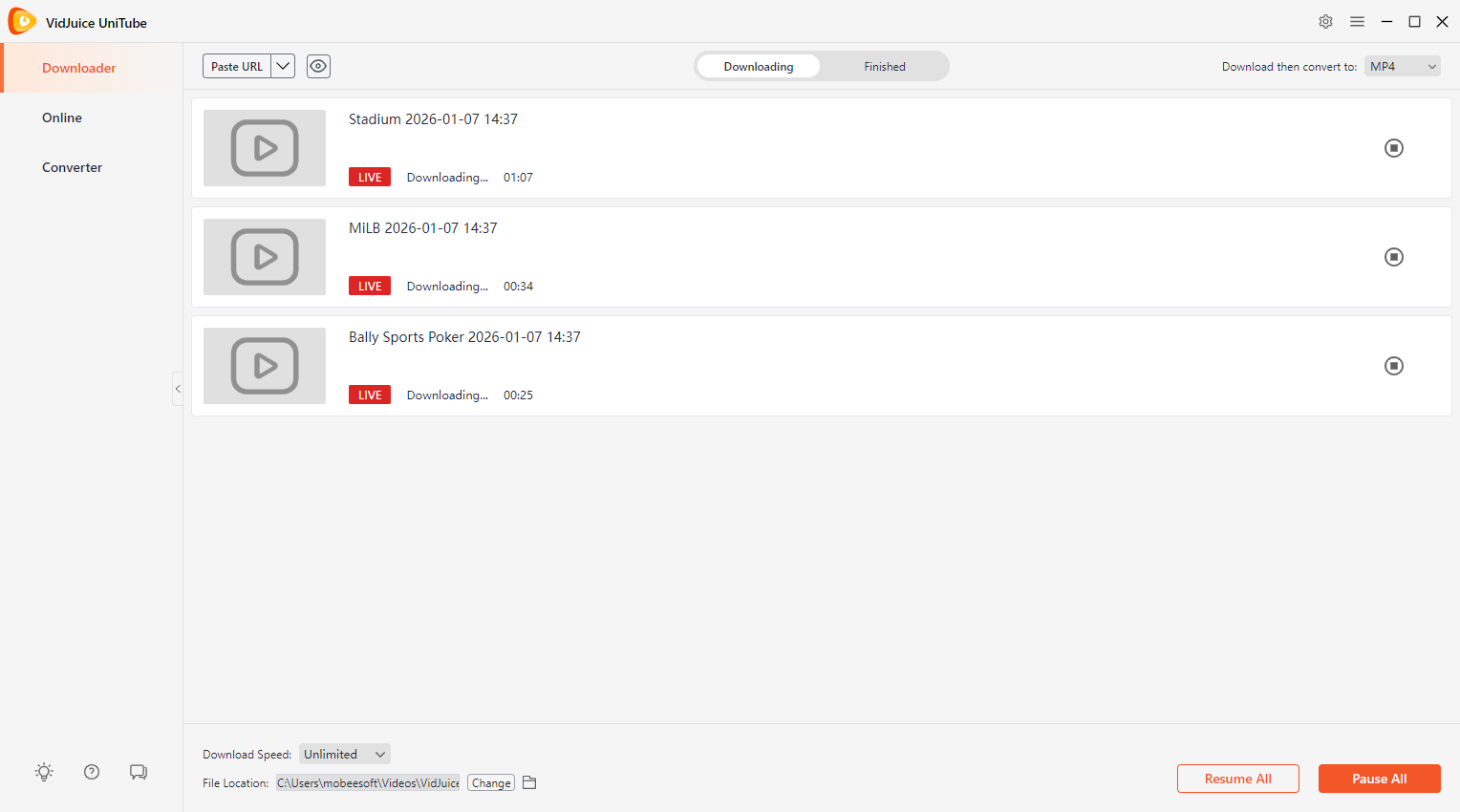
- Return to VidJuice and paste the URLs into the software, then VidJuice UniTube will detect these lives and continuously record the stream as it plays.
- Once these events end, stop the capture and find the recorded Bally sports lives under the “Finished” tab.

優點:
Simple setup, batch downloads, automated recording, flexible output formats.
缺點:
Can’t record chat together with the lives.
2. Record Bally Sports Streaming Lives With Browser Extensions
If you prefer a lighter solution that works inside your browser, there are Chrome/Edge extensions that can capture live videos directly — either by detecting the streaming file or by recording your screen.
Common Types of Extensions :
- Stream/download extensions (e.g., 串流錄影器 – HLS 和 m3u8 影片下載器 ): These can capture live HTTP Live Streaming (HLS) feeds directly.
- Screen capture extensions (e.g., 螢幕性 , Nimbus 截圖與螢幕錄影機 ): These record everything playing in your browser tab, including audio.
How to Use a Browser Extension
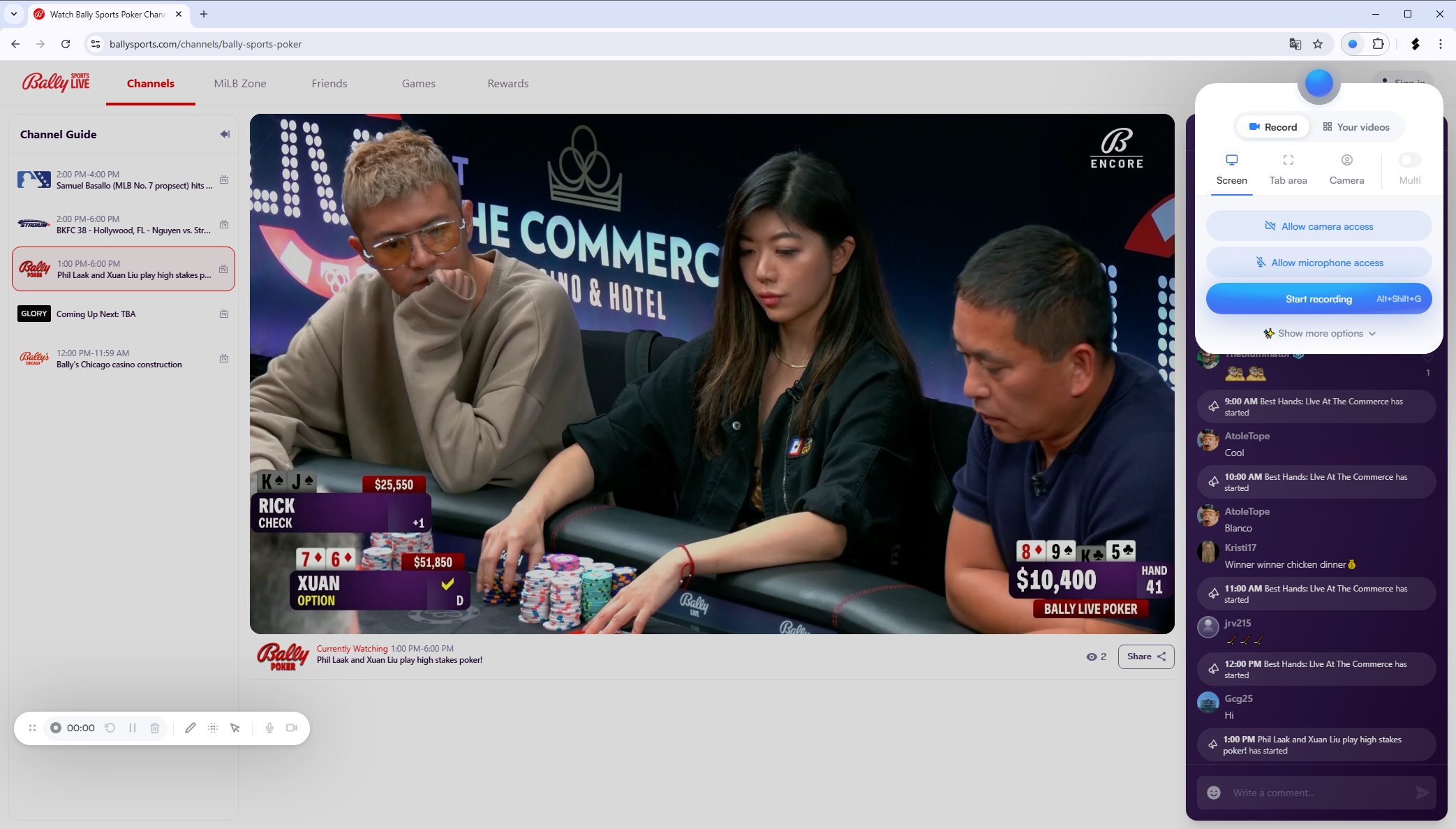
- Install the extension (like Screenity) from your browser’s web store.
- Open the Bally Sports Live stream in your browser tab, then click the extension icon while the stream is playing.
- Start recording when the live is going on; Stop the capture when the live event ends, and save the file.

優點:
Quick setup, works without installing desktop software.
缺點:
May not support all streaming protections; quality might be lower than desktop capture.
3. Record Bally Sports Streaming Lives With an Open Source Screen Recorder
For more control and flexibility, you can use an open-source screen recording tool like OBS Studio, which is free, powerful, and works on Windows, macOS, and Linux.
Why Use OBS :
- Free and highly configurable.
- Can capture multiple video and audio sources.
- Supports custom overlays, audio mixing, and scheduling.
Steps to Record Bally Sports Live with OBS :
- Head to the official OBS website, grab the installer, and get OBS Studio up and running on your system.
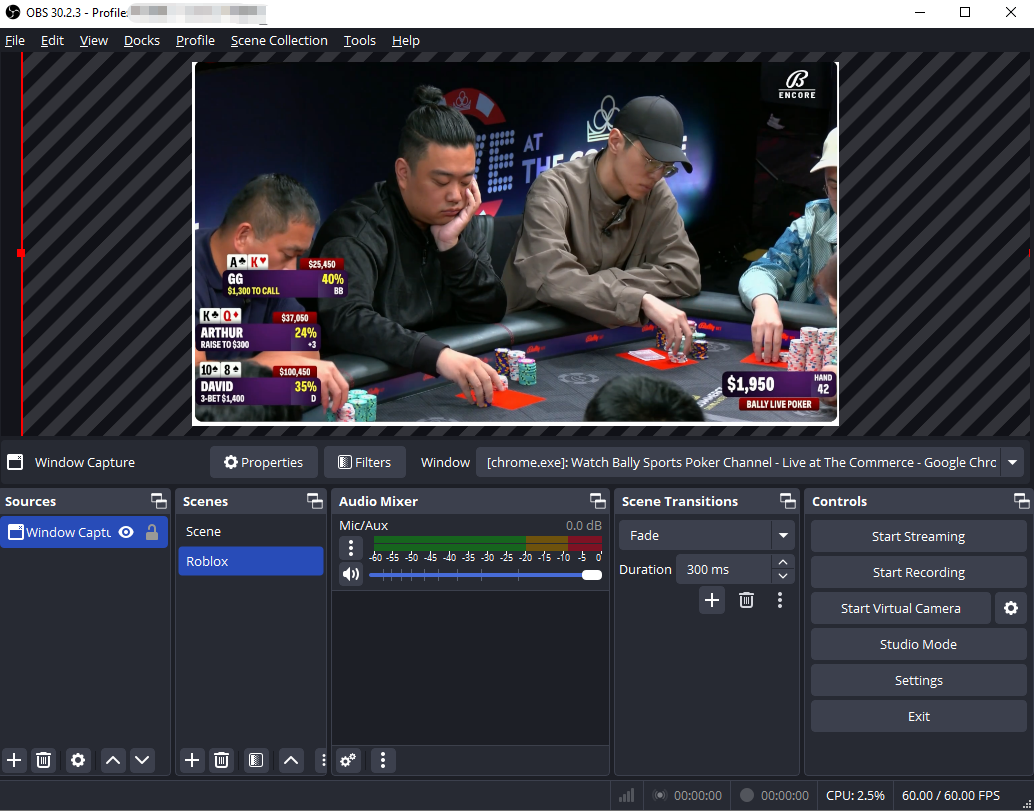
- Launch OBS and add a new “Display Capture” or “Window Capture” source to record the browser window playing Bally Sports.
- In the audio settings, enable System Audio so you capture the sound from the live stream.
- Start the Bally Sports Live stream in your browser, then click Start Recording in OBS.
- When the live broadcast ends, click Stop Recording and save the video file.

優點:
Totally free, flexible, high quality.
缺點:
Requires manual setup and can be confusing for beginners.
4. [Recommended] Record Bally Sports Streaming Lives With Swyshare Recordit
For the best balance of quality, ease, and reliability, one of the top choices for most users is Swyshare Recordit — a professional screen recording tool designed for capturing high-quality video from any streaming source.
是什麼造就了 Recordit Stand Out :
- High-quality video recording in HD or 4K resolution.
- System audio capture to ensure you never miss live commentary or in-game sounds.
- Multiple recording modes, including full screen, selected window, or custom region.
- Instant replay support and the ability to schedule recordings in advance.
- Fast exporting in popular formats such as MP4, MP3, and GIF.
- Built-in mouse effects and annotation tools to highlight key moments while recording.
- Add a logo or background image, and easily resize the video and canvas after recording.
How to Record Bally Sport Live with Recordit :
- 安裝 Swyshare Recordit on your computer (Windows or macOS).
- Open the Bally Sports Live stream you want to record in your browser or app.
- 發射 Recordit and set the recording area (full screen or just the video window).
- Enable system audio capture, then press Start Recording when the game begins.
- Press Stop Recording when the event ends, and preview the recording in the “Files” tab.

5. 結論
Since Bally Sports Live doesn’t provide a built-in download option, recording is the best way to save live games and highlights for offline viewing. While tools like VidJuice UniTube, browser extensions, and OBS Studio each offer workable solutions, they come with limitations in flexibility, quality, or ease of use. For most users, Swyshare Recordit is the best all-around choice, combining high-quality recording, reliable system audio capture, flexible recording modes, and useful editing features in a simple workflow. It makes recording Bally Sports live streams easy, efficient, and accessible for both beginners and experienced users.